


5.0
PROJECT SCHEDULER TOOL
PROJECT SCHEDULER TOOL
5.0 / 5.0
(6) 6 total reviews
Couldn't load pickup availability
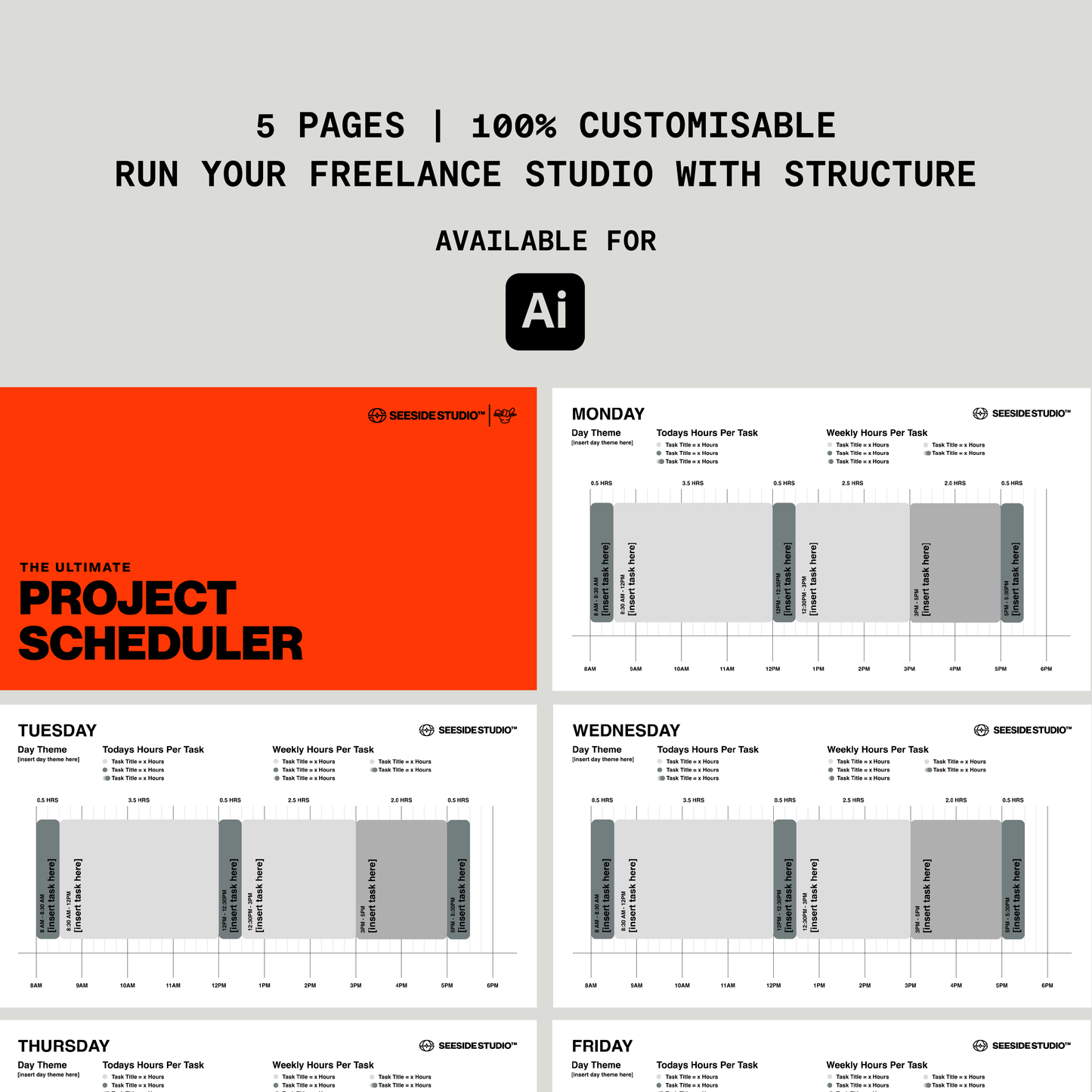
TIME BLOCKING PROJECT SCHEDULER FOR DESIGNERS
(ADOBE ILLUSTRATOR)
This is the ultimate visual scheduler designed for logo and brand designers who want to be as efficient and productive as possible.
I built this tool for my own studio to help me block time for deep creative work, admin tasks, mentoring, and content creation. Instead of juggling multiple apps or project management tools, everything sits inside Adobe Illustrator alongside the files I already work in every day.
Open the file, jump to the relevant day, and you instantly see how your time is structured.
It acts as a visual prompt that keeps you focused on what matters next.
If you enjoy working visually and want a clear overview of your week without adding another tool to your stack, this scheduler does exactly that.
WHY THIS TOOL WORKS
🧠 Built for real creative workflows
Turn scattered tasks into deep creative sessions where real progress happens.
🎯 Turns reactive days into intentional ones
Instead of reacting to emails and distractions, you know exactly what you should be working on next.
🖥 Everything stays inside Illustrator
No extra apps. No switching between tools. Keep your schedule open alongside your design work so your workflow stays simple and focused.
📅 See your entire week at a glance
Quickly understand where your time is going and keep your studio running with structure.
✍️ Simple to adjust every week
Adapt your schedule as projects change while keeping a clear system in place.
HOW TO USE IT
- Open the Illustrator file at the start of your week
- Adjust the time blocks to match your priorities
- Keep the tab open while you work
- Jump back to it whenever you need to refocus on what’s next
This simple system helps you stay accountable to the work that actually moves your studio forward.
WHO IT’S FOR
- Freelance logo designers and brand designers
- Creative studio owners managing multiple responsibilities
- Designers who want more focused creative time
- Anyone who prefers a visual way to structure their work day
There is a non-refundable policy for all digital templates purchased from this store.
If you need help with your purchase, please contact cj@cjcawley.com
WHAT YOU NEED
Adobe Illustrator and a basic understanding of how to use software to edit the templates.


Let customers speak for us
from 173 reviewsJust started using it to get some practice branding. It helps to have a layout that can I can work from instead of trying to think of one myself when I really just want to get to the branding. Thanks for the tip on finding brand briefs online!
As a brand designer, I found The Ultimate Logo Design Presentation Template to be a wonderful addition to my workflow.
Using it guided my creative process seamlessly, ensuring every rationale and concept was communicated with clarity. The layout is exceptionally well-structured, making it easy to lead clients through a narrative from strategy to final design. Thanks to the thoughtful factors and depth built right into the template, my clients were genuinely impressed with the level of detail and professionalism in my presentation.
Highly recommended for any designer looking to level up their client experience!
Thanks CJ
Great and easy to use template - used it as a base and inspiration! Did the whole proposal then realized it was in A4 - left it that way for my Texas clients lol!
Both CJ and his merch are top notch. No wonder the AI slopgobblers take his stuff without asking.
Great design, great quality!
Is good
very neat
Really valuable and helpful for starting our own template. Very easy to use and super cool! 🤙
Great bundle, really helps me to present my projects!!!
A must have!
Great tool! Must have!
Its so great
It’s so great nothing to say
I love it the started bundle set everything up for me. THANK YOU 🙏🏼
Its been an honor to buying from CJ!